
Automatically identify speakers after voiceprint registration
Overview
Voiceprint recognition is a registration-based feature. After you register your voiceprint, AI can distinguish your speech from other speakers based on the voiceprint and display speaker names in meetings and transcripts.
Scenarios
- Automatically label your speech in multi-person meetings
- View transcripts by name instead of generic labels like Speaker 1, 2, or 3
- Recurring meetings with fixed participants
Procedure
1. Register and manage voiceprints
1
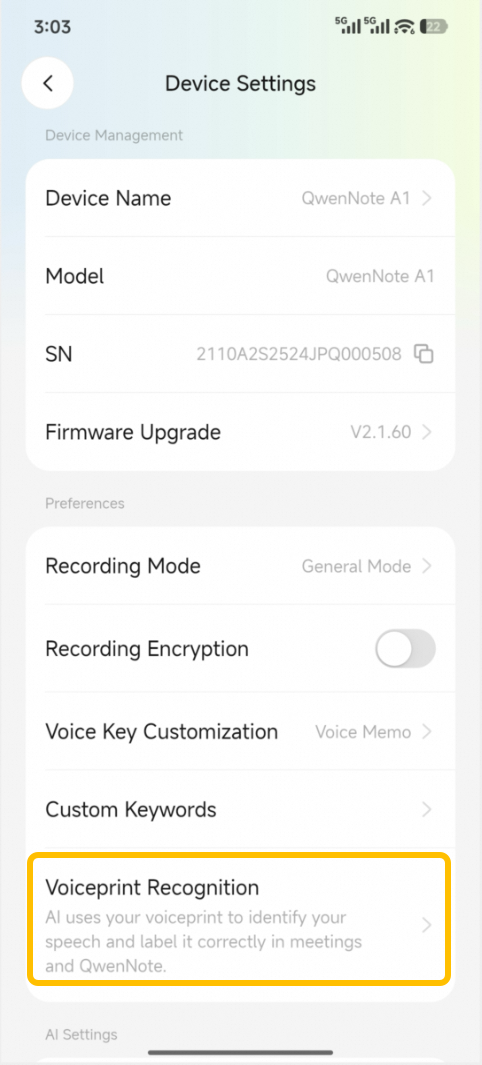
Scroll down in Device Settings and click Voiceprint Recognition.
2
record and register your voiceprint
Follow the on-screen instructions to record and register your voiceprint. To remove a registered voiceprint, click Delete Voiceprint.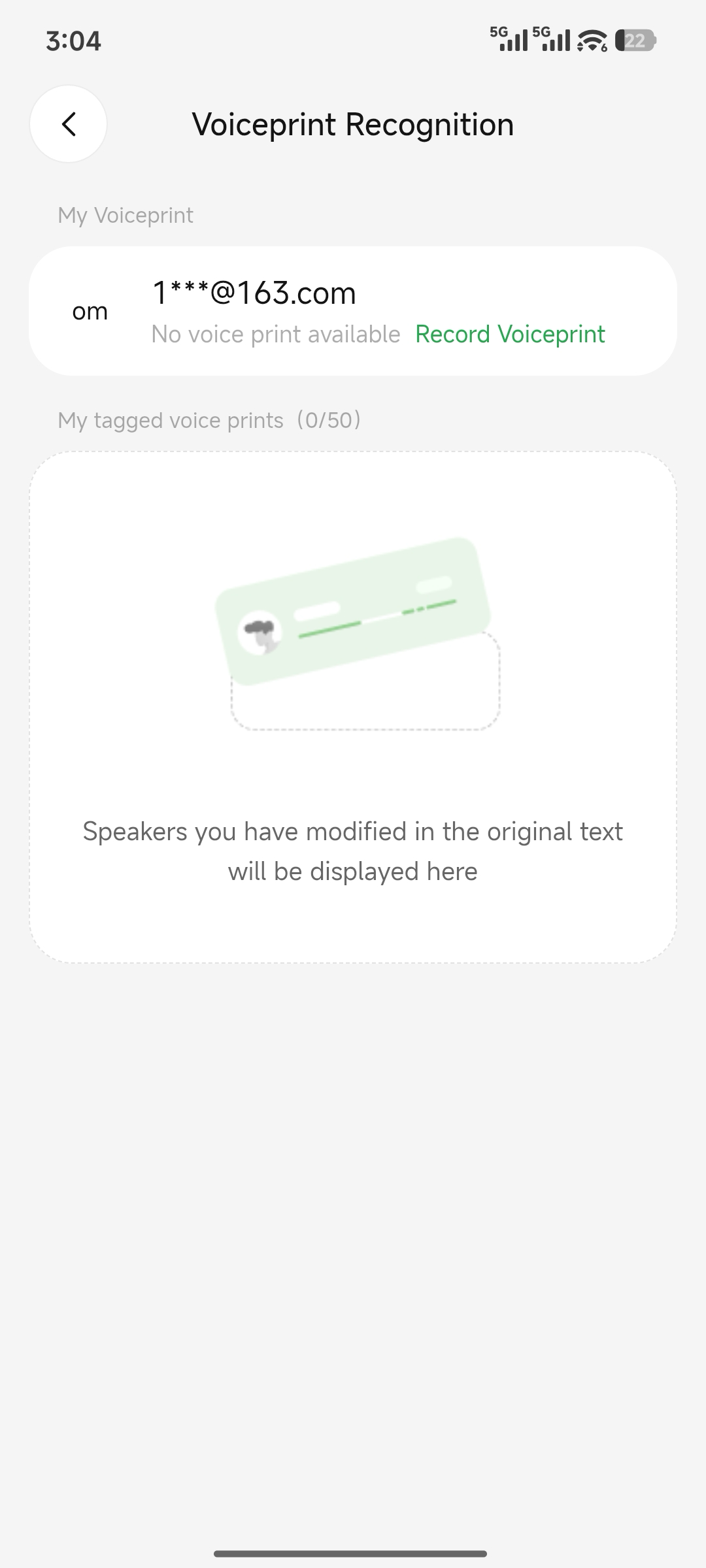
2. Participant limits
| Feature | Participant limit | Labeling method |
|---|---|---|
| Voiceprint Recognition | Up to 50 participants | Labels appear in the transcription results of the transcript |
3. Considerations
- Unregistered voices cannot be identified by name.
- Voiceprint recognition accuracy is affected by ambient noise, speaking distance, and physical condition.