
Pause and Resume During Transcription
Overview
You can pause and resume transcription at any time. Audio is not recorded while paused, allowing you to skip breaks, casual conversations, or other content that does not need to be transcribed.
Scenarios
- Meeting breaks or topic transitions.
- Temporarily interrupting recording without ending the entire transcription session.
Procedure
Transcription supports operations on both the device and the app.
1. Pause or Resume on the Device
During transcription, double-click the circular AI Voice button to pause. Double-click again to resume.
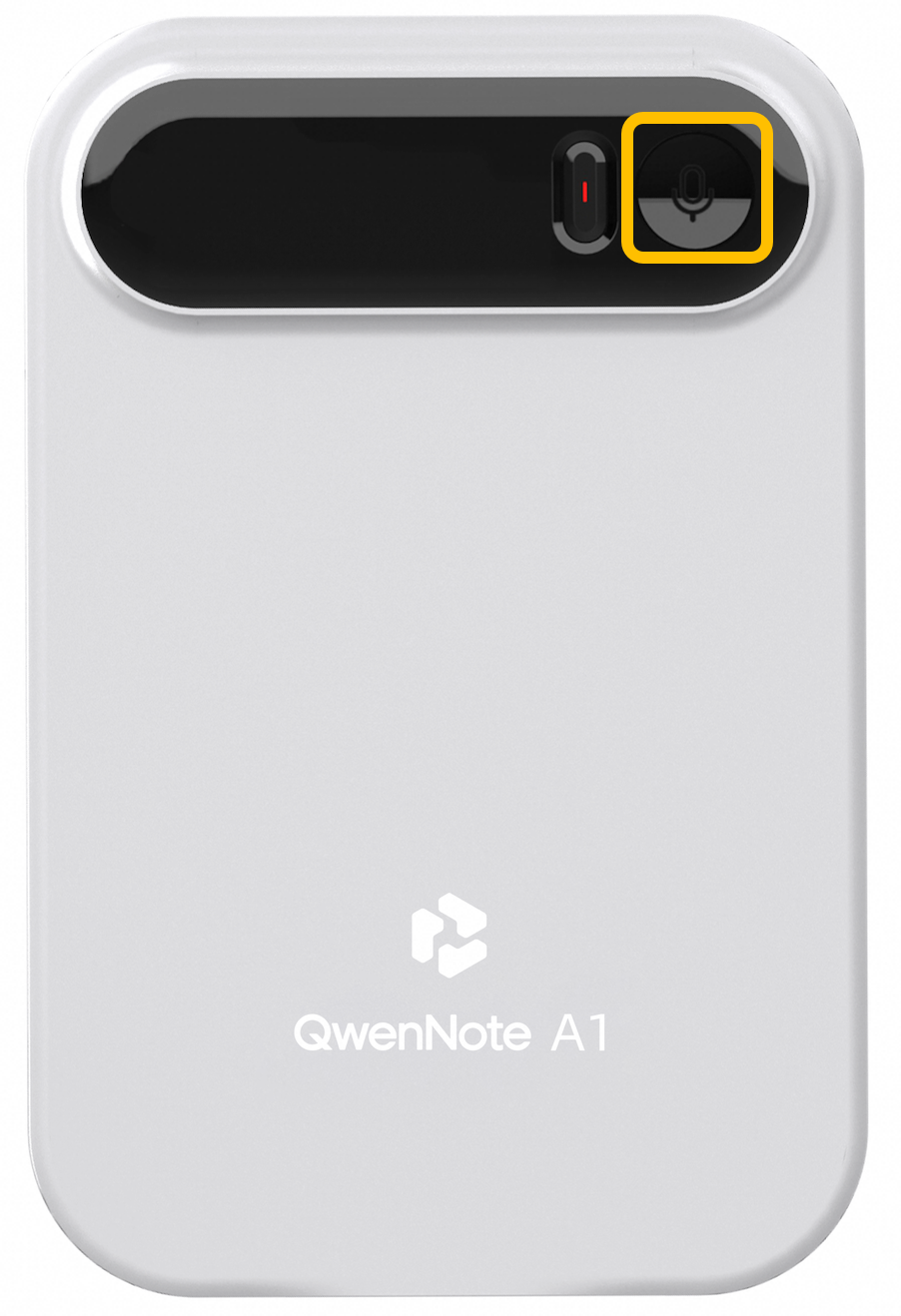
Pausing or Resuming Transcription on the Device
2. Pause or Resume in the App
After transcription starts, the app displays the active recording status. Tap to enter the transcription screen, where you can use the buttons at the bottom to pause or resume.
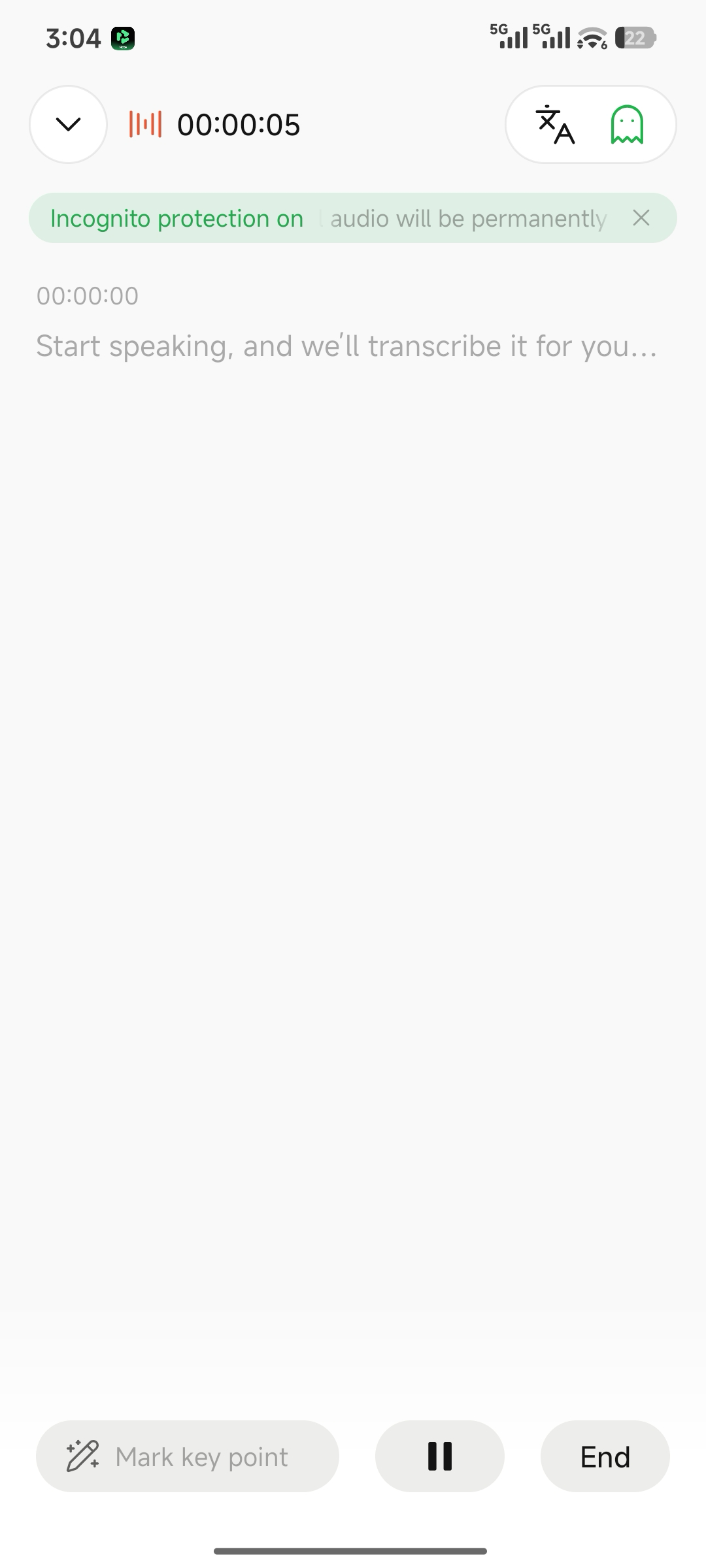
Pausing or Resuming Transcription in the App
Notes
- Audio is not captured while paused. When resumed, recording continues within the same transcription session.
- To end the transcription completely, press and hold the Transcription button for 2 seconds or tap the Stop button at the bottom of the app.