
Automatically segment long recordings by pauses
Overview
Smart Segmentation is designed for long recordings. When enabled, it automatically segments recordings based on meeting breaks, splitting a single long recording into multiple summary sections for easier review and organization.
Scenarios
- Long meetings with natural breaks
- A single recording covers multiple topics that require separate summaries
- Segmented review of long recordings such as training sessions or consecutive interviews
Procedure
1. Enable Smart Segmentation
On the Device Settings page, click Smart Segmentation to enable it. Once enabled, recordings longer than 3 hours are automatically organized and split into multiple summary sections.
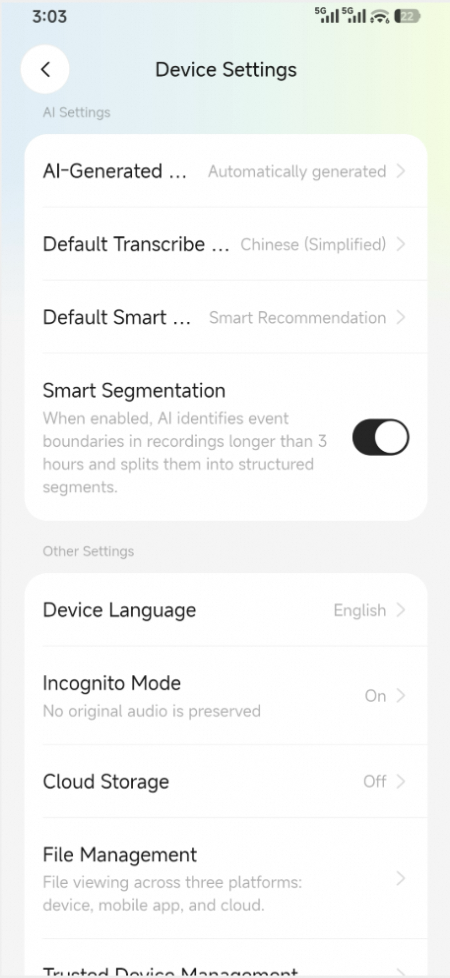
Enable Smart Segmentation
2. View segmentation results
Go to the details page of the recording to view the segmented summary sections.
3. Considerations
- Segmentation is based on speech pauses and content changes. We recommend that you manually verify the results.