
Power and Recovery Operations for A1
Overview
You can power on, power off, and restart the QwenNote A1 using the physical recording button (the vertical button on the left side of the device). The device also supports automatic power-on when connected to a power source.
Scenarios
- Powering on the device for the first time or after a long period of inactivity.
- Powering off the device completely to conserve battery or prepare for transport.
- Recovering the device when it is frozen or unresponsive.
Procedure
1. Power On or Power Off
- You can power on the device in two ways:
- Connect the device to a power source via the Type-C port. The device powers on automatically.
- Press and hold the recording button (vertical button) for 3 seconds.
- To power off the device:
- Press and hold the recording button (vertical button) for 8 seconds. The device powers off after five short vibrations.
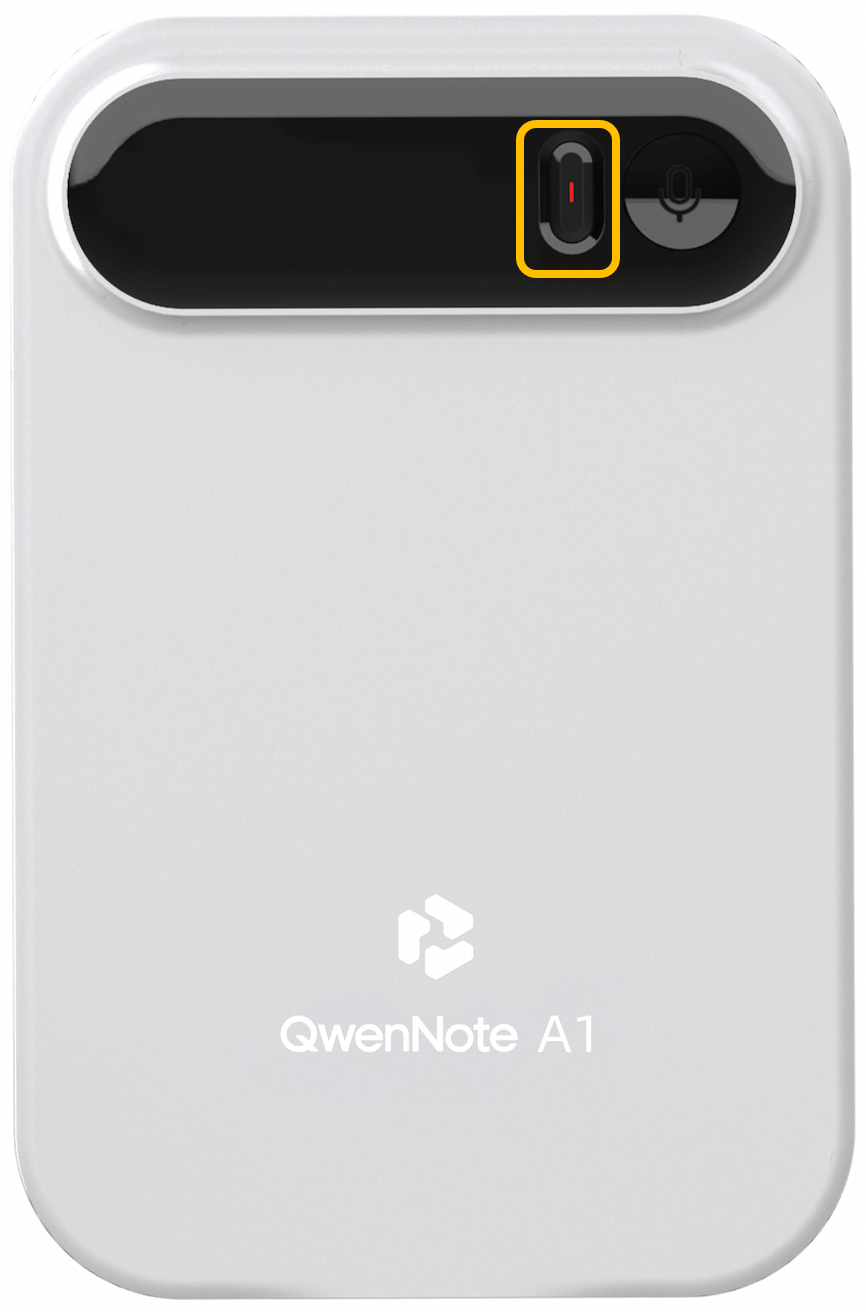
Recording button location
2. Force Restart
If the device is frozen or unresponsive to any buttons or operations, use one of the following methods to recover it:
- Press and hold the recording button for 8 seconds to force a shutdown, then press and hold it for 3 seconds to power on. If the button or screen remains unresponsive, press and hold the button for 15 seconds.
- Use a SIM ejector tool to press and hold the reset hole on the upper right side of the device for at least 20 seconds. The device will force restart.
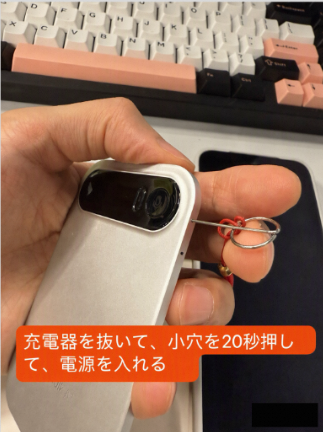
Illustration of pressing the reset hole with a SIM ejector tool