
Improve Transcription Accuracy with Hotwords
Overview
Register hotwords (proper nouns) so the AI prioritizes them during recognition. This improves transcription accuracy for names, locations, and technical terms.
Scenarios
- Company names, product names, or project codes frequently mentioned in meetings.
- Content involving technical terms, industry jargon, or foreign names.
- Specific words that are repeatedly misrecognized in transcription results.
Procedure
1. Register Hotwords
1
Keyword Registration
In Device Settings, click Keyword Registration to add keywords such as key terms, locations, and names.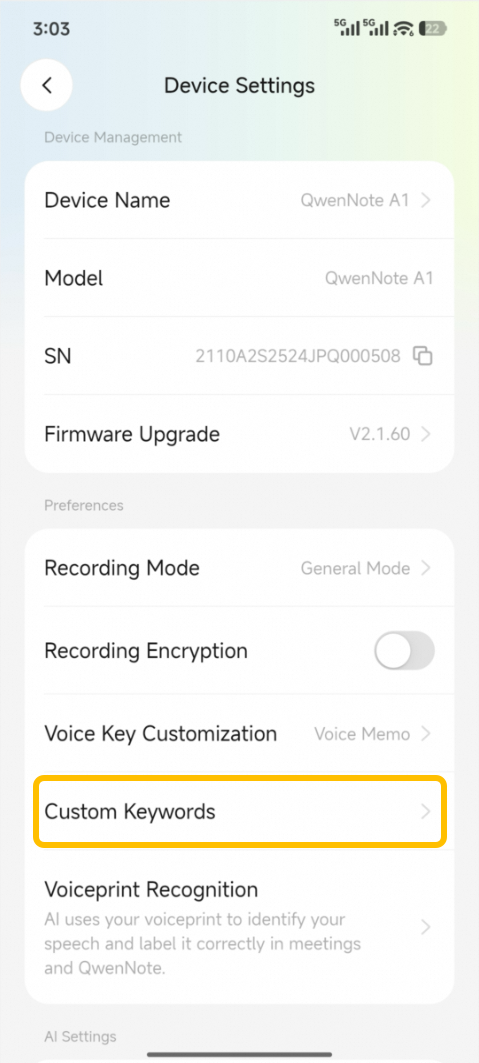
2
Hotwords
Enter the words to register in the input field at the bottom of the Hotwords page, then click Add. To add multiple words at once, separate them with commas.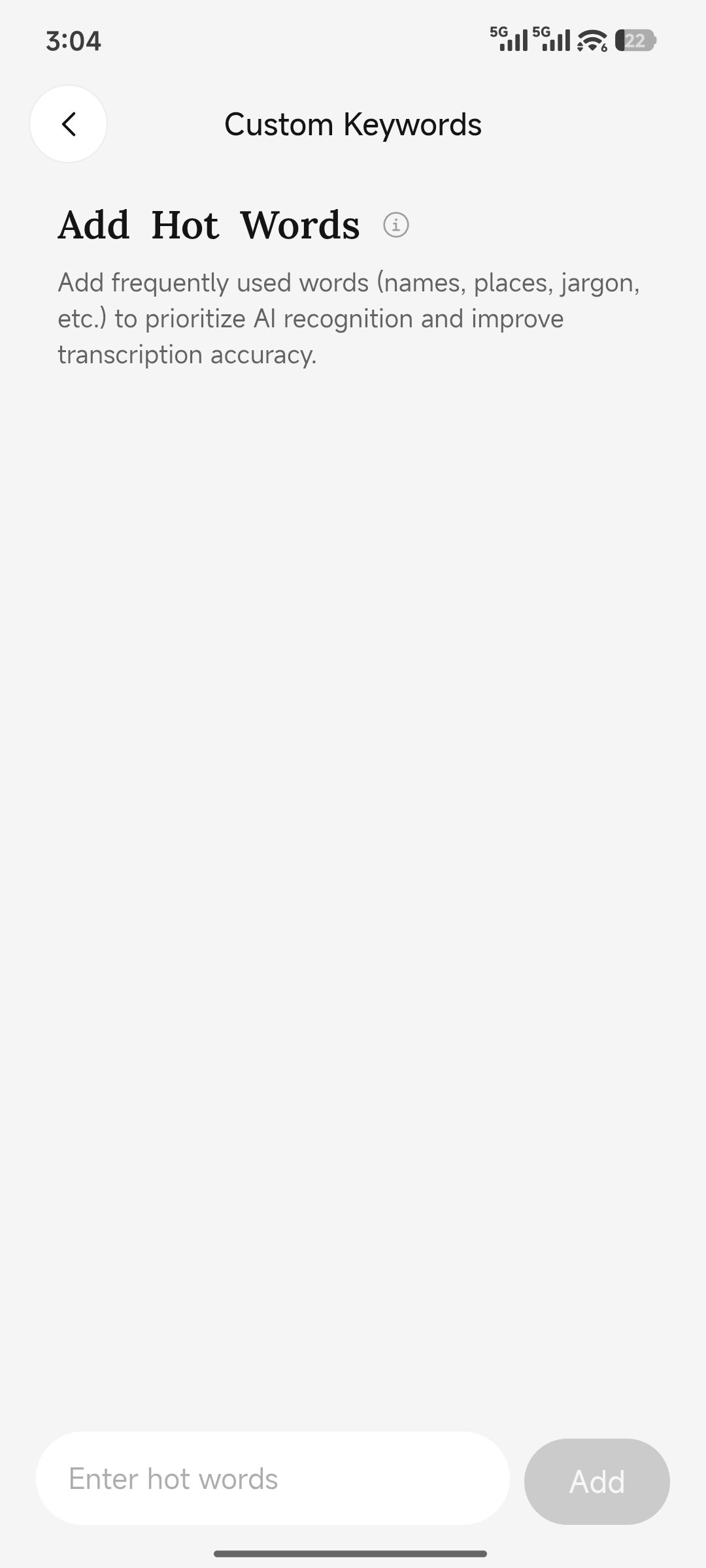
2. Recommendations
- Prioritize high-frequency words that are prone to misrecognition.
- Use official full names instead of ambiguous abbreviations.
- Periodically remove unused hotwords.
3. Considerations
- Hotwords adjust recognition priority but do not guarantee 100% accuracy.
- Transcription accuracy is also affected by ambient noise, accents, and distance from the microphone.