
Attach to Your Phone or Carry A1 Separately
Overview
QwenNote A1 can be magnetically attached to the back of your phone or used as a standalone device. The package includes a magnetic leather case and a magnetic ring.
Scenarios
- Daily carry to prevent forgetting the device
- Call transcription (requires attachment to phone)
- Standalone desktop use in meeting rooms or on-site visits
Procedure
We recommend attaching the device to the back of your phone for daily carry to avoid forgetting it. You can also use it as a standalone device, for example, placing it on a meeting room table to record meetings.
1. Attach to the Back of Your Phone
iPhone: Insert the device into the leather case, then attach the case to the back of your phone. iPhones have built-in magnets, so the magnetic ring is not required.
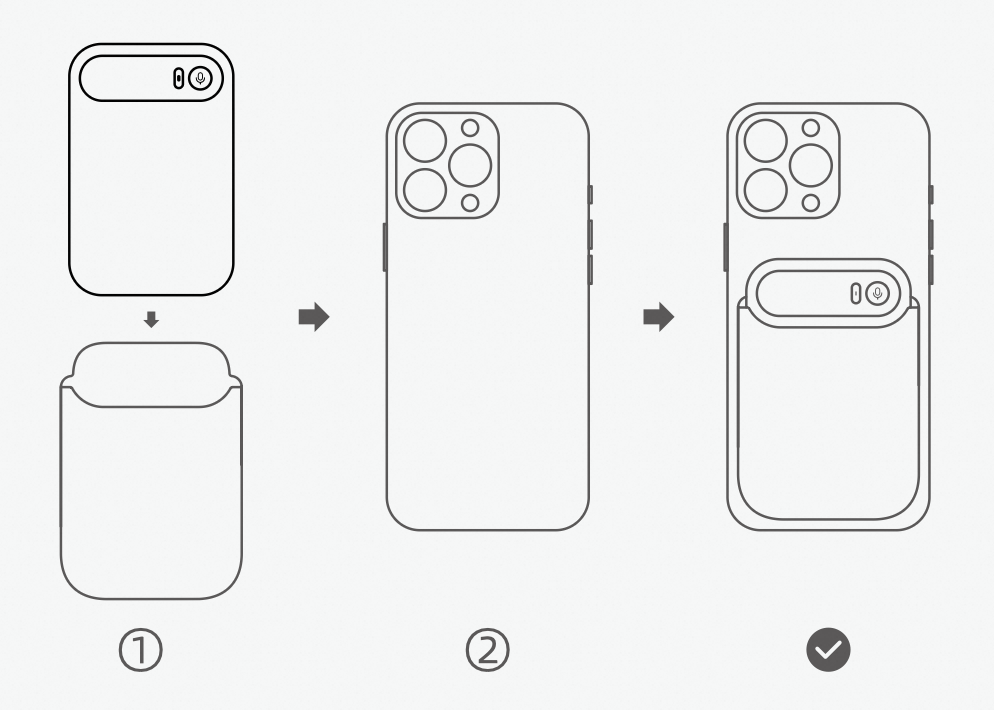
iPhone Magnetic Attachment Steps
Android: Peel off the protective film from the adhesive side of the magnetic ring. Align the ring with the case and stick it to the back of your phone or phone case. Then, insert the device into the case and attach it.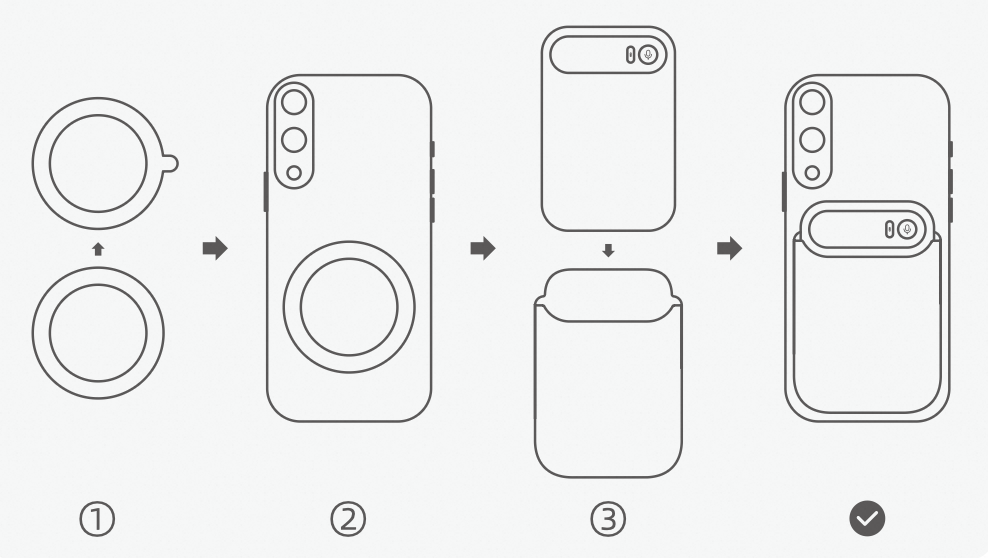
Android Magnetic Attachment Steps
Note: Do not attach the magnetic ring directly to leather surfaces as it may cause scratches. We recommend attaching it to the back of a phone case.
2. Carry and Use as a Standalone Device
When not attached to your phone, you can carry the device separately and place it on a desk when you need to record.
Note: Call transcription is not supported in standalone mode (when not attached to a phone). Only ambient sounds and speakerphone audio can be recorded.
3. Factors Affecting Audio Capture
- Excessively thick or metal phone cases may affect audio capture during call transcription.
- Protective cases that block the microphone can impair audio capture. We recommend using the included dedicated leather case.