
Archive and Find Transcripts with Tags
Overview
You can use custom tags to group transcripts for quick archiving and retrieval.
Scenarios
- Organize transcripts by specific scenario.
- Group important transcripts together.
- Sort through a large volume of transcripts.
Procedure
1. Add Tags to Transcripts
Add tags from the details page: On the transcript details page, tap … in the upper-right corner and select Edit Tag.
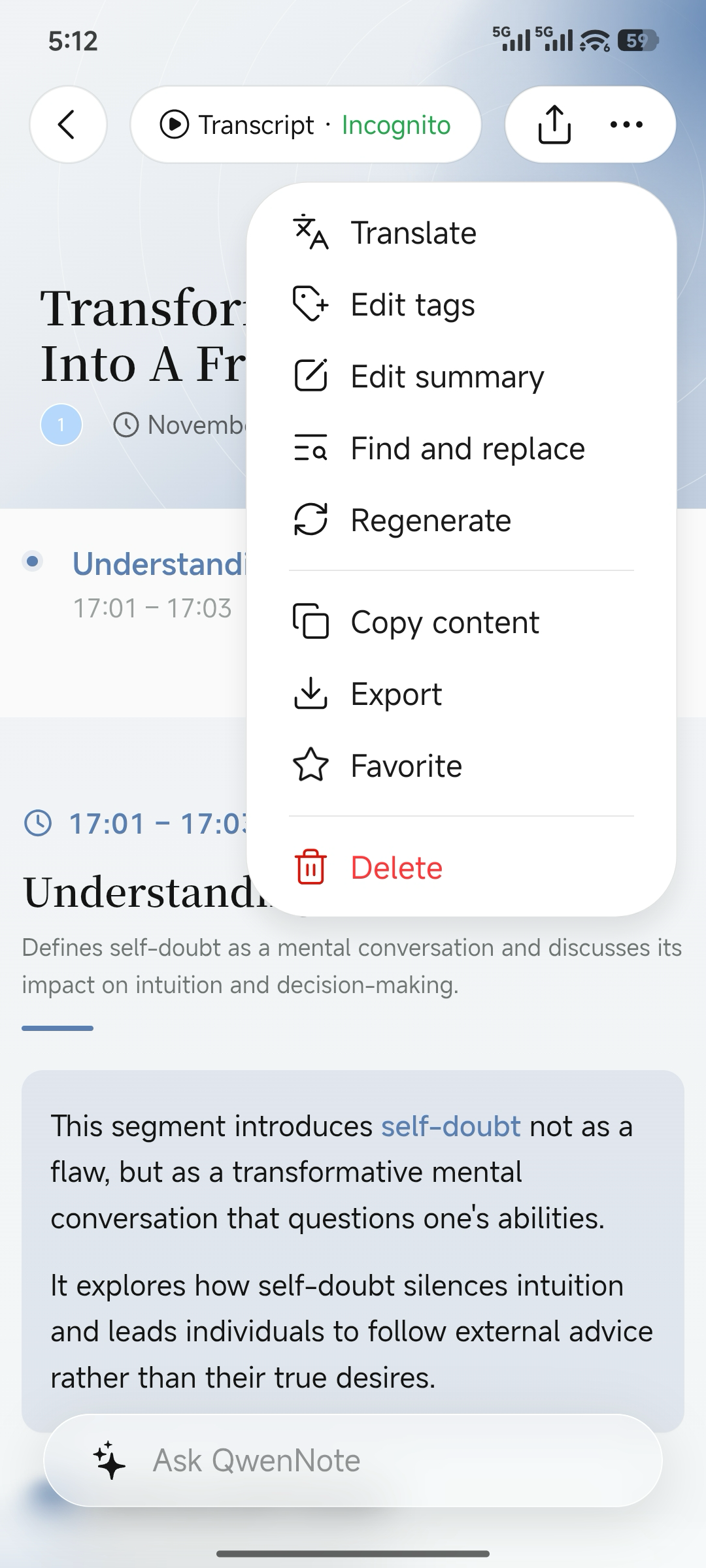
Edit Tag entry on the details page
Add tags from the home page: On the home page, press and hold a transcript and select Edit Tag.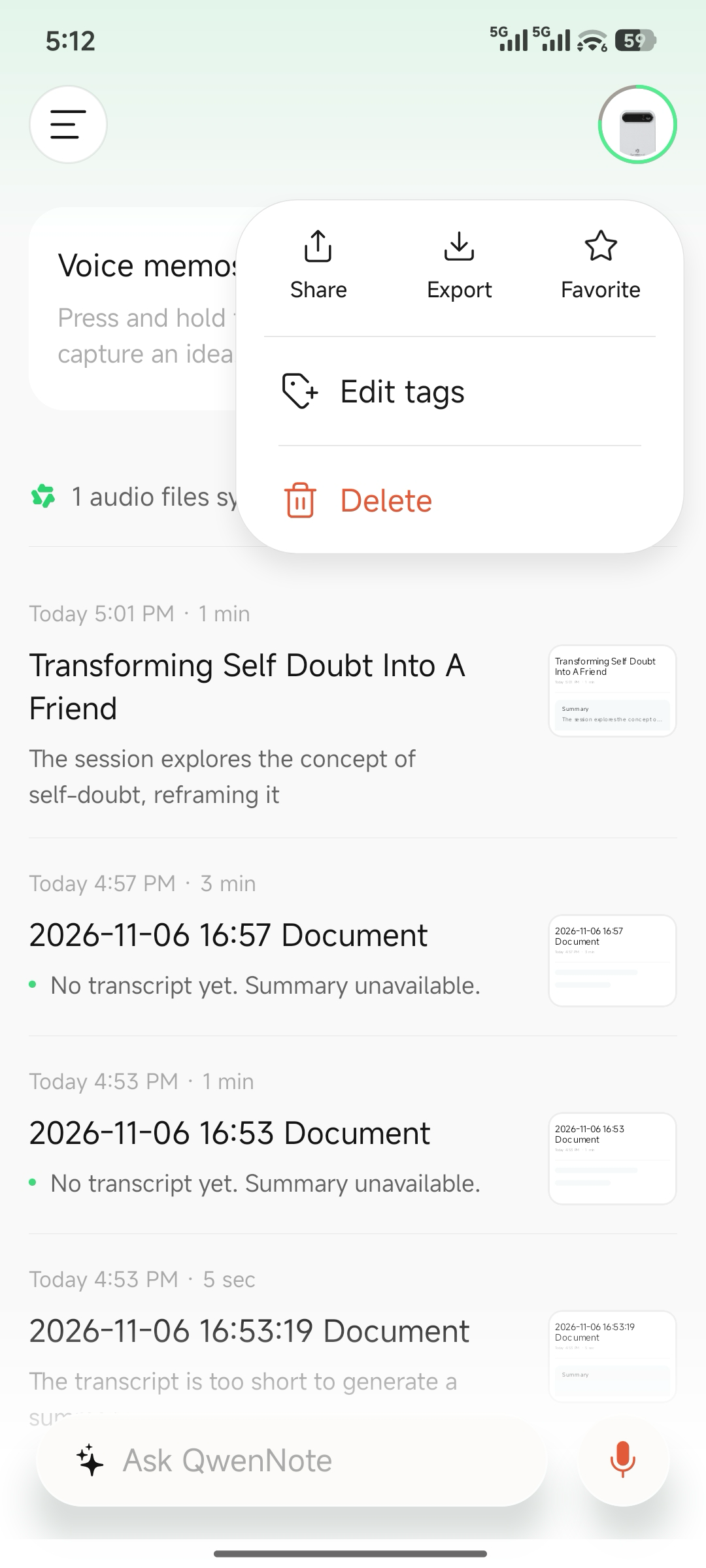
Edit Tag entry on the home page
2. View Tag Groups
1
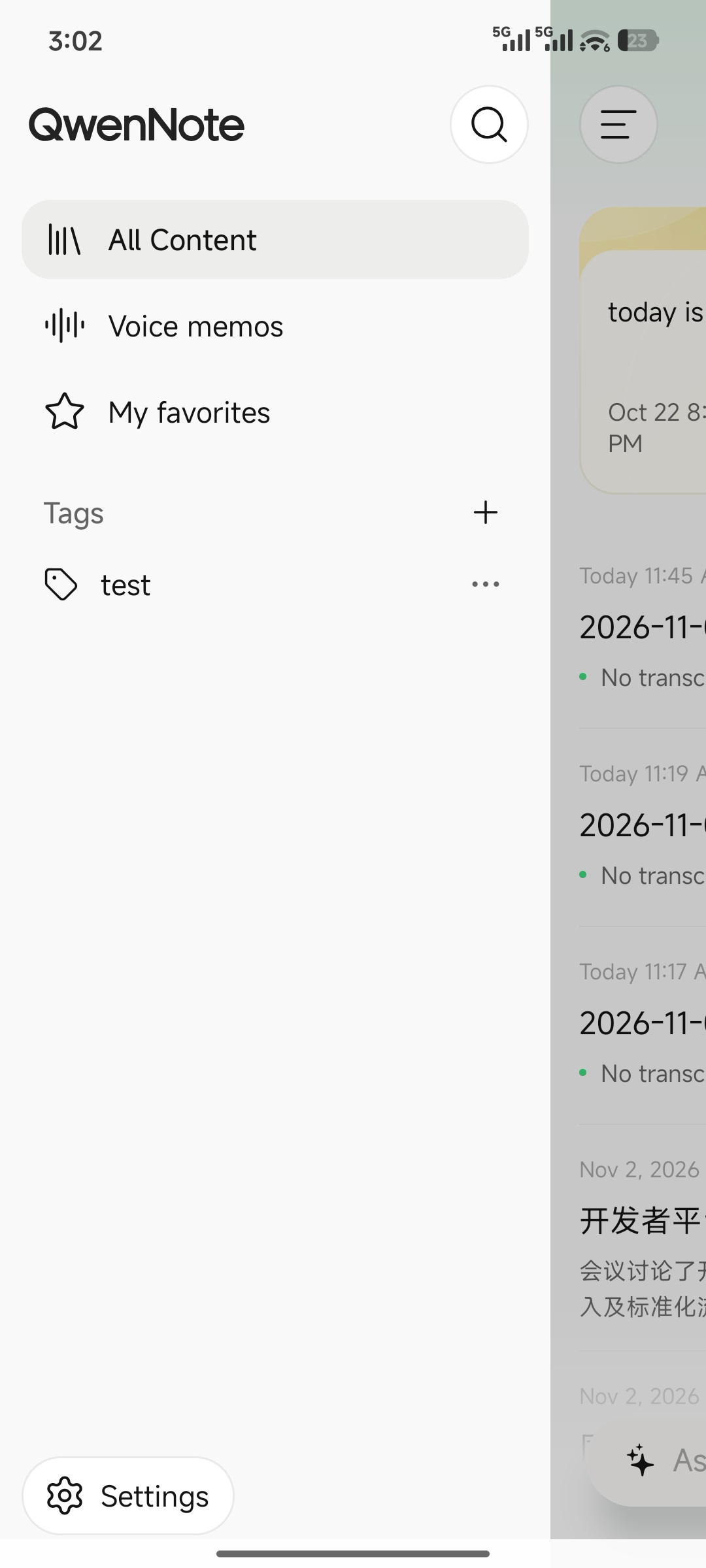
Tap the navigation icon in the upper-left corner of the home page to expand the navigation bar.
2
Select Tags to return to the home page.

3
The home page displays all transcripts under the selected tag.

Considerations
- Grouping does not affect the retention settings of the original recordings.