
Start and Manage Transcriptions on the Device and App
Overview
Transcription is a core feature of the A1. You can start and manage transcriptions from either the device or the app. After a transcription ends, the content automatically syncs to the app.
Scenarios
- Meetings, client visits, interviews, classes, phone calls, and other situations that require recording.
- Capturing spontaneous ideas that require starting a transcription quickly.
Procedure
You can operate transcriptions from both the device and the app.
1. Start or stop transcription on the device
- Start: Press and hold the transcription button (vertical button) on the right side of the device for 2 seconds.
- Stop: Press and hold the transcription button again for 2 seconds.
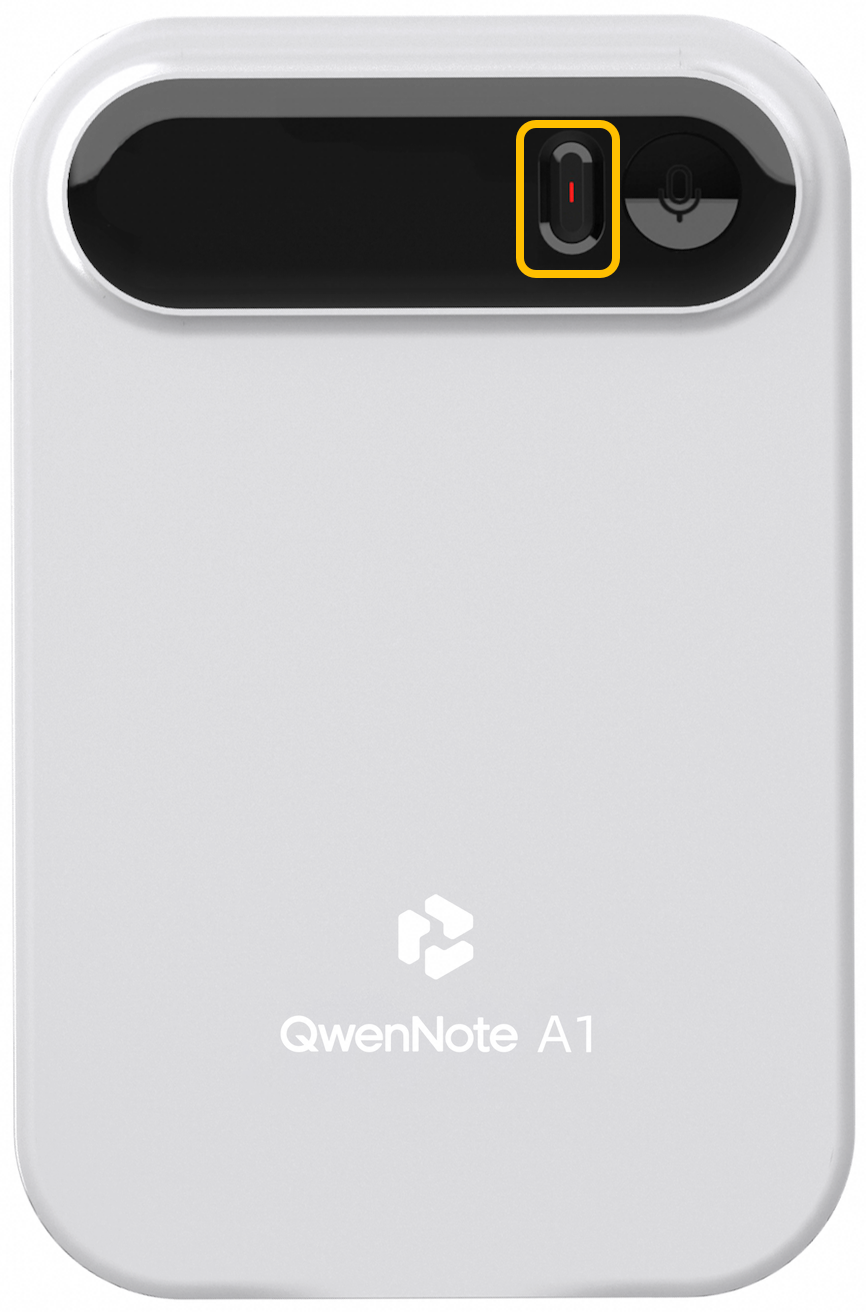
Start or stop transcription on the device
2. Start or stop transcription in the app
Tap the transcription button on the app home screen to start. On the active transcription page, tap the button at the bottom to stop.
1
Tap the transcription button on the app home screen to start.
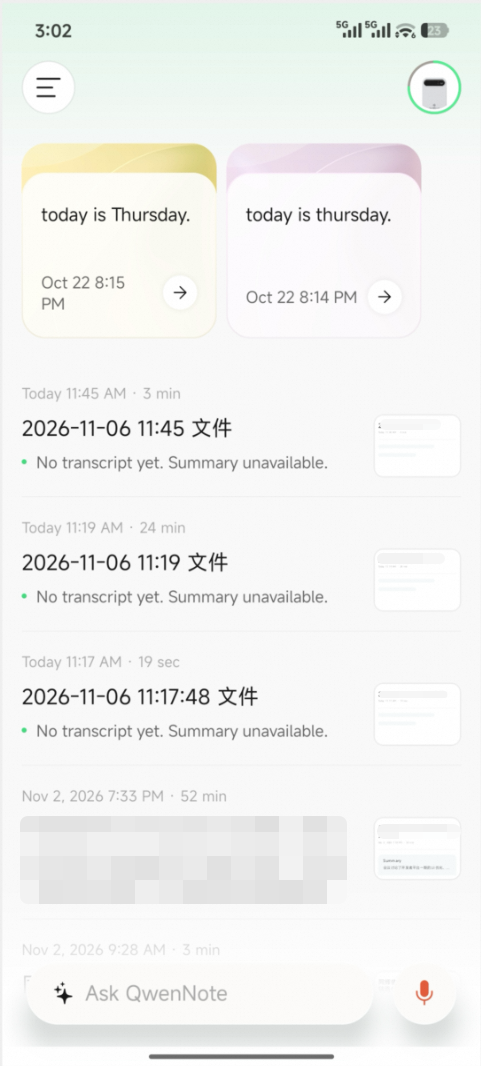
Start transcription in the app
2
On the active transcription page, tap the button at the bottom to stop.
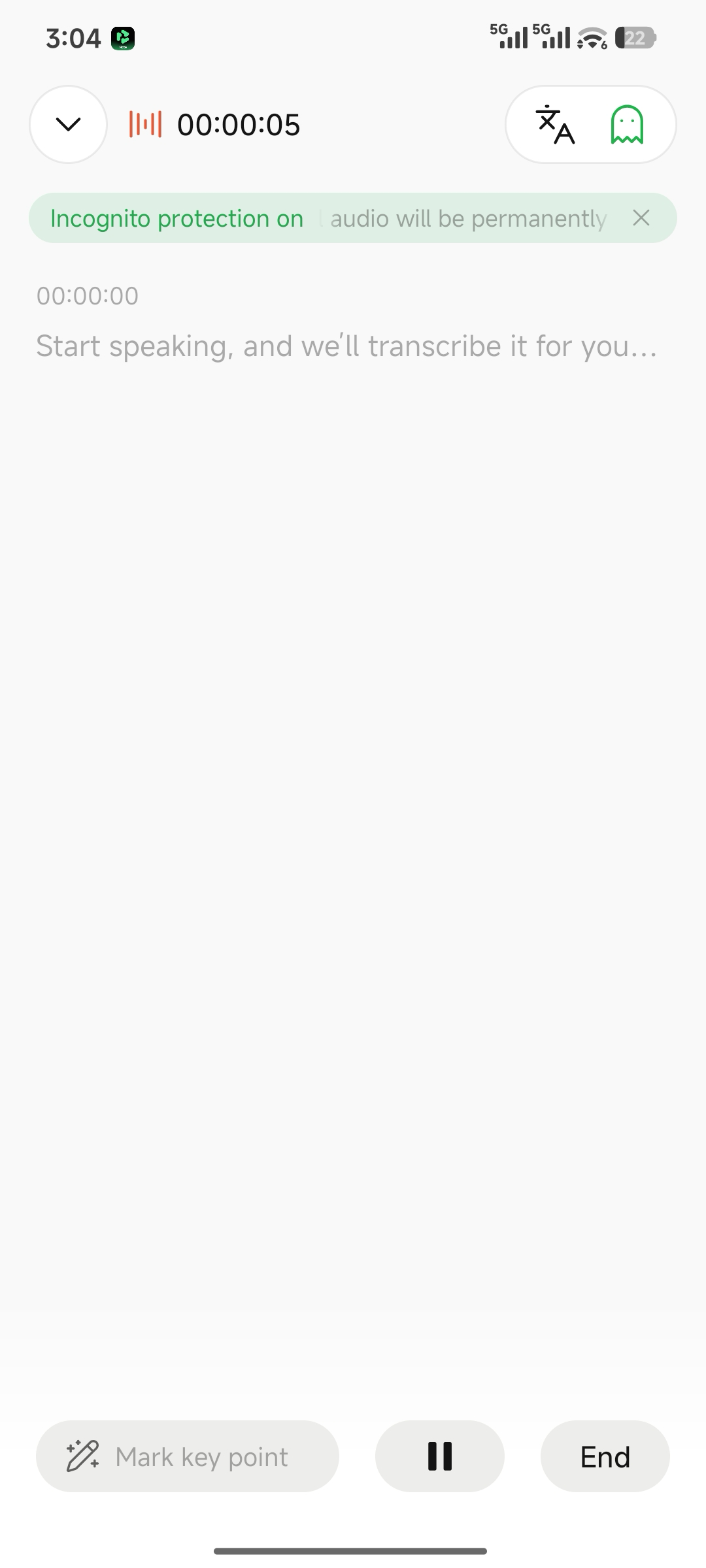
Stop transcription in the app